Island Life Daily Living
GCash for Foreigners in the Philippines: Why Cash Still Belongs in Your Pocket
GCash for foreigners in the Philippines feels like a small victory until the phone shows one bar, the cashier is waiting, and the amount on the screen is not the amount you expected. Digital payment is now part of ordinary Philippine life, but a move plan built around one app, one SIM, and one battery is still a fragile plan.
Income first. Plan second. Move third.
Sam reaches the counter with a full wallet and no signal
Composite example — Sam: Sam is fifty-eight and scouting a neighborhood outside Cebu City with his friend Liza and her cousin Mae. At a small hardware store, he chooses a lightbulb, an extension cord, and a padlock for the rental he is considering.
The cashier turns a QR stand toward him. Sam is pleased. He opened an account for the trip, practiced scanning at a mall, and has enough in the wallet. Then the app stalls. The shop’s signal is fine; his phone is the problem. He moves toward the doorway, closes the app, and watches the payment screen spin while two customers wait behind him.
Liza starts to reach for her phone. Sam stops her, takes out a small bill, and pays in cash. The moment is ordinary, not embarrassing. What matters is that he does not turn his convenience problem into somebody else’s obligation.
Outside, Mae helps him check the mobile-data setting he changed the night before. Sam writes one line in his moving notes: “Digital works until one part of the chain does not. Carry the backup.”
GCash for foreigners belongs inside a wider payment plan
The Philippines has moved quickly toward digital payments. The Bangko Sentral ng Pilipinas reported that digital payments accounted for 57.4 percent of monthly retail-payment volume in 2024, up from 52.8 percent in 2023. Merchant payments were the largest contributor to that digital volume.
That official number is evidence that cashless payment is normal. It is not evidence that every tricycle, wet-market stall, landlord, clinic, island port, roadside eatery, or barangay office will accept your preferred wallet at the moment you need it.
The BSP’s QR Ph system helps by providing an interoperable national QR standard. A participating bank or non-bank electronic-money account can scan a participating QR Ph code for person-to-person or person-to-merchant payments through the national rails. In plain English, the logo on the merchant’s QR stand does not always have to match the wallet in your hand.
Interoperability is not guaranteed completion. You still need a usable account, enough funds, a working phone, the correct recipient and amount, connectivity, and merchant confirmation. Build layers: wallet, card or bank route where accepted, modest cash, and access that survives a failed phone or SIM.
Choose the account route that matches your actual stay
GCash rules can change, and eligibility depends on whether you are visiting or residing in the country. Check the live Help Center before submitting documents. As checked on November 5, 2026, the published routes were:
| Your situation | Current published route | What to verify before relying on it |
|---|---|---|
| Foreign visitor | GCash describes GTourist for eligible foreigners using a foreign mobile number. The account activates in the Philippines and is valid for 30 days. | Whether your country is currently supported, card eligibility, passport verification, activation, wallet access, and what happens to remaining funds before deactivation. |
| Foreigner residing in the Philippines | GCash lists a Philippine SIM plus one accepted local-status ID such as an ACR, Philippine driver’s license, SRRV, DFA diplomat ID, or DOLE Alien Employment Permit. | That your exact ID type is currently accepted, valid, undamaged, and presented in the required form; that the name and birth details match. |
| Filipino returning from abroad | GCash publishes separate requirements for Philippine and overseas accounts. | Do not assume the foreign-resident route applies. Follow the citizenship, SIM, and ID path shown in the current app and Help Center. |
| Anyone using a Philippine SIM | The SIM must be registered with the telecommunications provider under current Philippine rules. | The registered owner, active status, roaming or replacement plan, and whether the number can still receive security messages. |
A tourist account is not a permanent relocation solution. A resident route is not proof that every applicant will be approved. Do not move a large part of your living reserve into an account until verification, access, limits, funding, and recovery all work in your own name.
Use a payment routine that catches the expensive little mistake
A QR payment feels casual because it takes seconds. Treat those seconds with the same care you would give a cash handoff.
Before confirming, read the merchant or recipient name on your own screen. Read the amount one digit at a time. If the cashier entered the amount, compare it with the bill. If you entered it, show the screen without exposing your PIN. Press confirm once, then wait for the completed transaction.
Do not use a screenshot as your only proof. Let the merchant confirm receipt in the system they use. Keep the in-app transaction record until the purchase, delivery, or refund window is finished.
For a first payment, confirm the number or QR identity face to face or through a trusted channel. If a landlord, contractor, seller, or new contact suddenly changes the account, stop and verify another way.
Label recurring household payments in your own records. Good notes turn a wallet history into a moving budget instead of a stream of mystery transfers.
Joe learns that one wrong digit is not a small problem
Composite example — Joe: Joe is sixty-three and renting in Dumaguete for three months. A repairman finishes a minor plumbing job and gives Joe a mobile number. Joe enters it, sees a name he does not recognize, and almost presses confirm because the first name sounds similar.
Instead, he asks the repairman to read the number aloud and then show the QR code in his own app. One digit was wrong. The name on Joe’s screen belonged to a stranger.
Joe deletes the draft transfer and scans the verified code. He waits until both phones show the completed payment, writes “kitchen repair” in his expense log, and keeps the transaction details.
The lesson is not that digital wallets are unsafe. The lesson is that speed removes the pause that used to happen while counting bills. You have to put the pause back.
If a transaction does go wrong, do not search social media for a person claiming to be support. GCash’s current Help Center directs users to open the affected transaction, tap “Get Help,” and choose the matching concern. Preserve the transaction record, time, amount, recipient details, and any legitimate conversation connected to the payment.
A move plan should also decide who does not receive money digitally. New online sellers, urgent investment offers, surprise “account problems,” and strangers asking to rent your wallet are not normal daily payments. Pressure is a reason to stop.
Protect the phone because it has become part of the wallet
GCash states that it will not send links by SMS or email and will not ask for your MPIN or one-time password. Its security guidance warns about unexpected offers, pressure to act quickly, fake support pages, calls asking for account information, and people offering to buy or rent an account.
Use a screen lock and the app’s supported biometric and device-security features. Keep the SIM details, account name, recovery email, and official support route in a secure record you can access if the phone disappears.
Never read an OTP to a caller or enter an MPIN on a page opened from a message. If a text claims the account will be restricted, open the app independently or type the official Help Center address yourself.
Separate daily spending from the reserve that protects your move. Keep emergency money in more than one place, and make sure the backup does not depend on the same lost phone.
Gear for the Island Life
Island Life merch, shipped by Fourthwall.

Related Island Life guides
Mark’s dead battery reveals the missing part of his budget
Composite example — Mark: Mark is fifty-four and spending a week in Iloilo to see whether the city fits his routine. He pays for breakfast and a ride with his phone, uses maps through the morning, and joins two U.S. client calls before lunch.
At four in the afternoon, the battery drops to one percent. His power bank is in the room. The driver at the terminal accepts cash, but Mark has only a large bill and expects someone else to solve the change problem.
A Filipina traveler named Carla points him toward a nearby shop. Mark buys a small item, gets usable change, and returns to the queue. Nothing dramatic happens. The inconvenience costs fifteen minutes and exposes three weak assumptions: the phone would last, the power bank would always be with him, and a large bill counted as practical cash.
The next day he carries a charged power bank, a charging cable, small bills in a separate pocket, and the written address of his rental. He also keeps his U.S. client schedule from draining the same device he depends on for transport and payment.
Portable client income helps close the Freedom Number only when the delivery routine and the daily-life routine can coexist. One phone can be a wallet, map, work tool, translator, ride contact, camera, and emergency line. That convenience is exactly why it needs backup.
Spend seven days using both digital payment and cash
Before treating any wallet as essential, spend a week learning where it helps and where it creates friction. Keep the amounts small and the purpose ordinary.
Day 1 — Verification: Confirm the account is in your name, the SIM route is correct, and the accepted ID is current.
Day 2 — Merchant QR: Make one purchase, check the displayed recipient and amount, and wait for the merchant’s confirmation.
Day 3 — Cash-only route: Pay for a small ride or shop purchase with practical denominations and note where change becomes difficult.
Day 4 — Weak signal: Observe what happens in a real candidate neighborhood without deliberately forcing a failed payment.
Day 5 — Battery: Run your normal maps, calls, messages, and wallet use while carrying a charged power bank.
Day 6 — Records: Match the week’s wallet and cash spending to categories in your moving budget.
Day 7 — Recovery: Write the official support path and decide how you would pay, travel, and call for help after losing the phone.
At the end, choose a daily wallet balance, a separate cash amount, and a reserve that stays outside both. The exact amounts are personal planning choices, not universal recommendations. Base them on your transport, health, housing, work, and risk tolerance.
Put payment failure inside your Freedom Number
Your Freedom Number should include the payment system behind your Philippine life: mobile data, a working phone, a power bank, replacement access, transfer or card costs shown by your providers, cash withdrawals, and an emergency reserve that does not depend on one app.
Calculate the gap between that full monthly number and dependable income. If pension, Social Security, savings, or proven business income leaves a shortfall, solve the gap before relocation. A cheaper destination does not repair an unstable income plan.
Build one simple B2B client service around a result a real business values—such as missed-call follow-up, appointment reminders, or lead reactivation. Sell and deliver it while you still have runway. HighLevel can be the delivery system for forms, pipelines, calendars, and follow-up, but it is not a magic income button. The offer, sales work, client trust, and delivery remain the business.
Income first. Plan second. Move third.
Calculate the real target with the Freedom Number, use Start Here to organize the move, and watch the contractor follow-up service walkthrough. Consider HighLevel only if you intend to sell and deliver a real service.
Island Life may earn a commission if you sign up through this link. Software does not guarantee clients or income. No income is guaranteed.
Sources and editorial notes
Checked November 5, 2026.
- Bangko Sentral ng Pilipinas, July 6, 2025 — PH sustains growth in digital payments usage: official 2024 digital-payment volume and merchant-payment figures.
- Bangko Sentral ng Pilipinas — QR Ph: official description of the interoperable national QR standard.
- BSP Memorandum M-2023-005: implementation of the national QR code standard for payment service providers.
- GCash Help Center — Accepted IDs for verification: current visitor and foreign-resident document routes.
- GCash Help Center — GTourist account: current visitor eligibility, activation, and 30-day account window.
- GCash Help Center — Account protection: official MPIN, OTP, phishing, fake-support, and device-security guidance.
- GCash Help Center — Get help from a transaction: current in-app support path.
Provider rules, supported countries, accepted IDs, limits, funding routes, and fees can change. Confirm the live app and official Help Center before acting. This article is practical planning information, not financial or legal advice.
Composite examples are illustrative and combine common daily-payment situations; Sam, Joe, Mark, Liza, Mae, and Carla are not identifiable individuals.
Hero image is AI-generated and does not show actual workers, applicants, or a property.
Build your Island Life
Products connected to this guide. Orders and delivery are handled by Fourthwall.
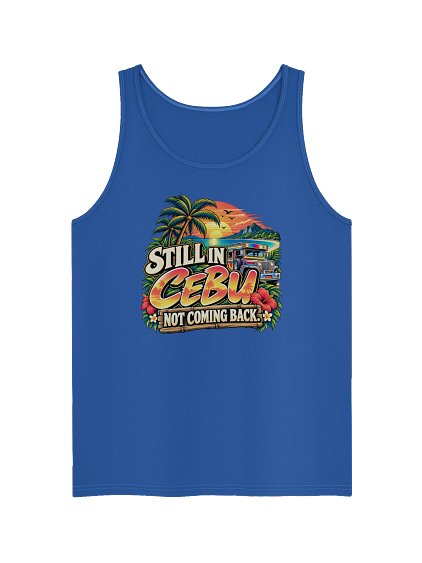
Still in Cebu. Not Coming Back. Tank | Philippines Expat
Still in Cebu. Tell the guys I’m not coming back. This tank is for the man who traded cold mornings for jeepneys, sun,…

Still in Cebu. Not Coming Back. T-Shirt | Philippines Expat
Still in Cebu. Tell the guys I’m not coming back. For the man who found warm weather, jeepneys, and a reason to stay.…

Moving to the Philippines. Build Your Island Life in 30 Days
Your island life starts at home. Before you book the flight, build the plan. Know what you need to pack, what to ask…